
Download AR Drawing Sketcher App – AR drawing, sketching app, augmented reality art, digital sketching, drawing tool, art for beginners, AR art, pencil sketch, AR projector, Pen-to-Paper Sync
Overview
The AR Drawing Sketcher App is a lifestyle-oriented Android application that redefines the creative process by integrating augmented reality with traditional sketching. Designed for both aspiring artists and seasoned creators, the app bridges the gap between physical and digital art, enabling users to bring real-world environments into their drawings. It serves as a versatile tool for individuals seeking a modern, interactive approach to sketching, particularly those interested in experimenting with visual storytelling and artistic expression. The app’s core functionality revolves around transforming everyday surroundings into dynamic canvases through AR overlays, allowing users to sketch directly onto virtual surfaces projected onto physical spaces.
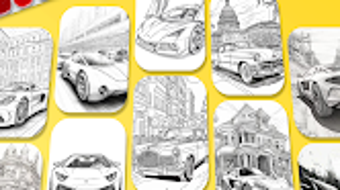
Target users include hobbyists, students, educators, and creative professionals who wish to explore new dimensions in drawing. The app’s intuitive design supports a wide range of artistic activities, from creating cartoon characters and animal illustrations to rendering food and abstract designs. With access to over 100 templates, users can follow structured guidance or use them as inspiration for original compositions. The ability to import images and convert them into pencil sketches adds a layer of digital enhancement, making it ideal for artists who want to refine hand-drawn work digitally. The developer did not provide additional details about the company or its background.
Key Features & Capabilities
- Augmented Reality Drawing Interface: Users can project a virtual canvas onto real-world surfaces using AR technology, enabling sketching in three-dimensional space with real-time visual feedback.
- Over 100 Art Templates: The app offers a diverse library of templates covering cartoons, animals, food, and other themes, providing structured starting points for beginners and creative prompts for advanced users.
- Pen-to-Paper Sync Technology: This feature allows users to digitize physical sketches by scanning paper drawings through the device’s camera, seamlessly transferring hand-drawn artwork into the digital environment.
- Image-to-Pencil Sketch Conversion: Users can import photos from their gallery and convert them into realistic pencil sketches, which can then be further refined or used as base layers.
- AR Projector with Lighting Controls: Built-in AR projection supports visibility in low-light settings, with adjustable lighting options to enhance drawing clarity and precision.
- Process Recording and Sharing: The app enables users to record their entire drawing session, including strokes and transitions, and share the video or final artwork directly to social platforms or cloud storage.
These features collectively support a fluid creative workflow, allowing users to transition between physical and digital mediums. For example, an artist could begin a sketch on paper, use Pen-to-Paper Sync to digitize it, then enhance it with AR overlays and templates. Similarly, a student could use a food template to create a detailed sketch in a classroom setting, leveraging AR projection to visualize proportions and depth.
User Interface, Workflow & Performance
The app presents a clean, intuitive interface optimized for touch-based interaction on Android devices. Navigation is streamlined through a bottom menu bar that provides quick access to tools, templates, gallery, and settings. The layout prioritizes ease of use, with tool icons clearly labeled and organized by function. Users can switch between drawing modes, access templates, and manage their projects with minimal clicks.
Workflow efficiency is enhanced by the app’s seamless integration of AR projection and real-time rendering. The drawing experience feels responsive, with strokes appearing immediately upon contact with the screen or projected surface. The developer did not specify resource usage details, so exact performance metrics such as CPU or RAM consumption remain unknown. However, based on general software behavior patterns, the app is expected to maintain stable operation under typical usage conditions. Stability during extended drawing sessions has not been independently verified, and performance observations are based on general software behavior patterns.
Compatibility & System Requirements
The AR Drawing Sketcher App is designed exclusively for Android devices. It is compatible with Android 8.0 and later versions, ensuring broad accessibility across a wide range of smartphones and tablets. The installation size is 78 MB, which is relatively lightweight for an AR-enabled application, suggesting efficient code optimization. The developer did not provide additional hardware requirements such as GPU specifications or minimum RAM thresholds.
Platform compatibility information is limited to the operating system and version. Users are advised to ensure their device supports ARCore, the underlying AR framework used by the app, for full functionality. The developer did not specify whether the app requires a stable internet connection for certain features, nor did they disclose details about offline usage capabilities.
Pros and Cons
Pros
- Free to download and use, making it accessible to a wide audience.
- Combines physical sketching with digital AR technology for a unique creative experience.
- Offers over 100 templates to inspire and guide users of all skill levels.
- Pen-to-Paper Sync enables seamless digitization of hand-drawn artwork.
- Includes AR projector and lighting controls for better visibility in dim environments.
- Supports recording and sharing of the entire creative process.
Cons
- Only available on Android; no support for iOS or desktop platforms.
- Exact system requirements and performance data were not specified.
- AR functionality may be limited on older or low-end devices.
- Offline usage capabilities are unclear.
- App may require a stable internet connection for some features.
FAQ Section
Is AR Drawing Sketcher App available for iOS?
The app is currently only available for Android devices. There is no official information about an iOS release at this time.
Is the app safe to download and use?
As a free app from a known developer, AR Drawing Sketcher, it is designed to be secure for general use. However, users should download it only from trusted sources such as the Google Play Store to avoid potential risks.
Does the app require an internet connection?
The app may function partially offline, but certain features such as template updates, cloud sharing, and AR projection calibration could require an active internet connection.
Can I use the app without a drawing pen or stylus?
Yes, the app supports touch-based drawing. While a stylus may enhance precision, it is not required for basic functionality.
How often are updates released?
The app was last updated on March 15, 2024. The developer has not disclosed a regular update schedule.
Final Thoughts + CTA
The AR Drawing Sketcher App stands out as a creative and accessible tool for anyone passionate about drawing, blending the tactile nature of traditional sketching with the innovation of augmented reality. Its extensive template library, Pen-to-Paper Sync, and AR projector features make it a compelling choice for beginners and professionals alike. While platform exclusivity to Android and limited technical details are notable drawbacks, the app’s free price point and rich feature set offer strong value.
It is particularly beneficial for students, educators, and hobbyists seeking a modern, interactive way to explore art. With its intuitive interface and robust functionality, AR Drawing Sketcher App delivers a unique artistic experience that encourages experimentation and expression. Download AR Drawing Sketcher App now.





.png)

